
Download Downloads – Kostenlose Chrome-Erweiterung für schnellen Zugriff auf Ihren Download-Ordner
Übersicht
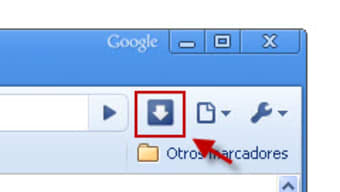
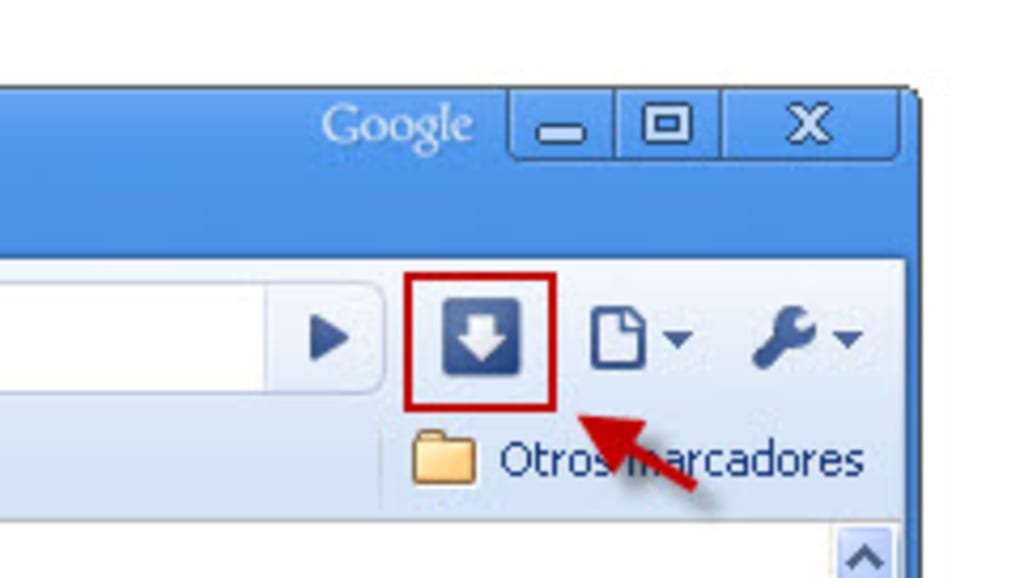
The Downloads extension for Google Chrome brings a surprisingly simple yet powerful shortcut to every web‑surfer who constantly saves files, images, PDFs, or music from the internet. While most browsers automatically place files into a default “Downloads” directory, locating that folder often requires several clicks, especially on machines where the path has been customized or when the download link vanishes before the user can act. The Downloads plug‑in eliminates this friction with a single‑click toolbar button that instantly opens the designated folder in Windows Explorer, macOS Finder, or the native file manager on Linux.
Designed with beginners in mind, the extension also benefits artists using pen‑based tablets, touch‑screen laptop users, and anyone who prefers a streamlined workflow over digging through menus. Though it isn’t a feature‑heavy utility, its lightweight footprint (under 200 KB) and zero‑cost model make it a handy time‑saver that can be installed in seconds from the Chrome Web Store. In a world where “download” is a verb we use dozens of times a day, having a dedicated shortcut that’s always within reach can improve productivity and reduce the mental load of remembering where files are stored.
Hauptfunktionen
- One‑Click Folder Access: Clicking the toolbar icon opens your system’s download directory instantly.
- Cross‑Platform Compatibility: Works seamlessly on Windows, macOS, and Linux versions of Chrome.
- Zero‑Cost, No Ads: Completely free to use with no hidden fees or intrusive advertisements.
- Lightweight Design: Less than 200 KB of RAM, ensuring Chrome’s performance stays optimal.
- Automatic Updates: Receives regular security patches and minor improvements via the Chrome Web Store.
- Touch‑Screen Friendly: Large icon size and responsive click area for tablet and convertible devices.
- Customizable Download Path Recognition: Detects user‑defined download locations set in Chrome’s settings.
These features collectively address a niche yet frequent pain point: the need to verify a download’s location without navigating through Chrome’s internal menus. By exposing the folder directly, the extension reduces the steps from three or four clicks to a single action, which translates into measurable time savings for power users and novices alike. Moreover, the extension respects privacy; it never tracks your downloaded files or shares data with third parties, aligning with Chrome’s security model and Google’s privacy policies.
Installation, Nutzung & Kompatibilität
Wie man in Sekunden installiert
Installing the Downloads extension is straightforward:
- Open Google Chrome and navigate to the Chrome Web Store.
- Search for “Downloads” (publisher: Chrome Web Store).
- Click Add to Chrome and confirm the permission prompt.
- The extension icon appears to the right of the address bar automatically.
Once installed, no additional configuration is required. The extension automatically reads Chrome’s current download directory setting and mirrors any changes you make in Settings → Advanced → Downloads.
Die Erweiterung effektiv nutzen
To open your download folder, simply click the Downloads icon. On Windows, a File Explorer window pops up; on macOS, Finder opens; on Linux, the default file manager (Nautilus, Dolphin, etc.) launches. For touch‑screen devices, a tap performs the same action, making it ideal for artists who drag and drop files directly from the folder to editing software.
Unterstützte Betriebssysteme
The extension is compatible with any operating system that runs Google Chrome version 80 or later, including:
- Windows 10, Windows 11, and earlier supported versions.
- macOS 10.13 (High Sierra) and newer.
- Linux distributions with Chrome or Chromium installed.
- Chrome OS devices (e.g., Chromebooks) where the underlying file system is accessible.
Because the extension leverages Chrome’s native APIs, it inherits the browser’s security sandbox, ensuring that the shortcut cannot be exploited to access unrelated system directories. Updates are delivered automatically through the Chrome Web Store, so you always have the latest version without manual intervention.
Vor‑ und Nachteile, FAQ & Fazit
Vorteile
- Instant access to the download folder saves time.
- Free and ad‑free, with no hidden costs.
- Works on all major desktop operating systems.
- Lightweight footprint keeps Chrome responsive.
- Touch‑screen friendly design for tablets and convertibles.
Nachteile
- Limited to opening the folder; does not provide file management tools.
- Relies on Chrome’s default download path; does not support multiple custom folders.
- No advanced settings for power users who want deeper integration.
Häufig gestellte Fragen
Is the Downloads extension safe to use?
Yes. The extension follows Chrome’s strict extension security model, does not request invasive permissions, and does not collect personal data.
Can I change the folder that the extension opens?
The extension always opens the folder defined in Chrome’s Settings → Advanced → Downloads. If you change that setting, the extension will automatically reflect the new path.
Does the extension work on mobile Chrome?
No. The extension is designed for desktop versions of Chrome where a file manager is available. Mobile Chrome does not expose a traditional file system to extensions.
Will the extension affect my download speed?
No. It only adds a UI shortcut; all download operations continue to be handled by Chrome’s built‑in download manager.
How do I remove the extension if I no longer need it?
Open Chrome’s Extensions page (chrome://extensions/), locate “Downloads,” and click the “Remove” button.
Fazit & Handlungsaufruf
The Downloads Chrome extension may not reinvent file management, but it solves a specific, everyday annoyance with elegance and zero cost. By delivering a one‑click gateway to the folder where Chrome stores every file you fetch from the web, it reduces needless navigation, especially for users on touch‑enabled devices or those who are new to the browser environment. Its lightweight nature ensures that Chrome remains snappy, and the automatic update mechanism guarantees you always benefit from the latest security patches. If you frequently download PDFs, images, music, or any other assets, giving this extension a try can shave seconds off each workflow—seconds that add up over a busy workday. Click the “Add to Chrome” button now, install the extension, and experience the convenience of instant download‑folder access.







